

V-Flow · Workflow
Workflow & Process
Automation
A visual platform for any business process. Describe it in plain language and AI drafts the workflow; branches, approvals, AI steps and SLAs included. Optional AI steps are governed through AICP.
A demonstration of the designer: describe a process, AICP drafts the workflow, then a case runs through it.
See the real product
The Workflow
workspace.
The environment your analysts use to build, publish and run workflows. Captured 2026-08. Click to inspect it full-size.
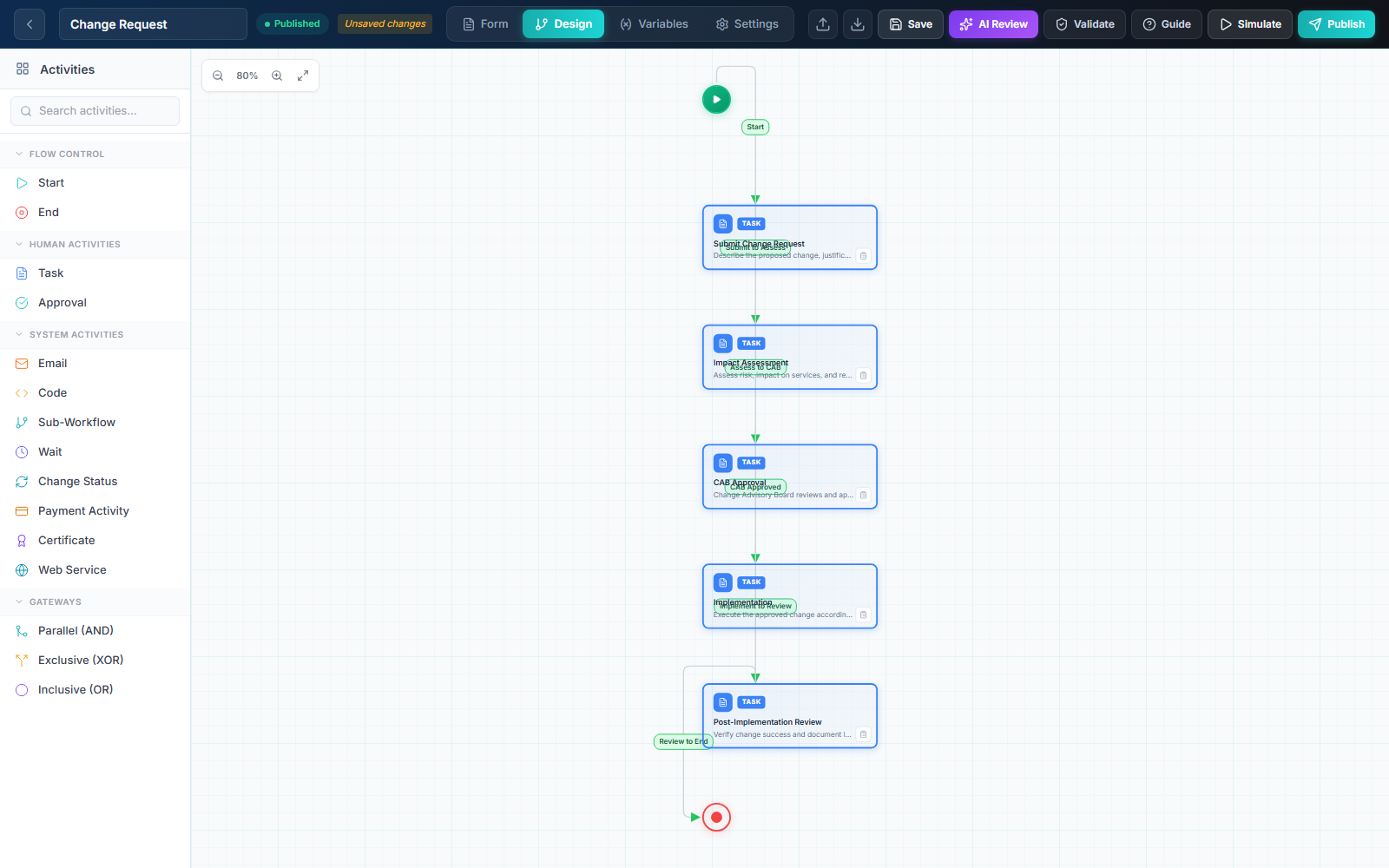 Activity toolbox
Workflow nodes & connections
AI model & validation
Publish & version
Activity toolbox
Workflow nodes & connections
AI model & validation
Publish & version
Inside Workflow
The portal your teams
work in every day.
One portal for every task
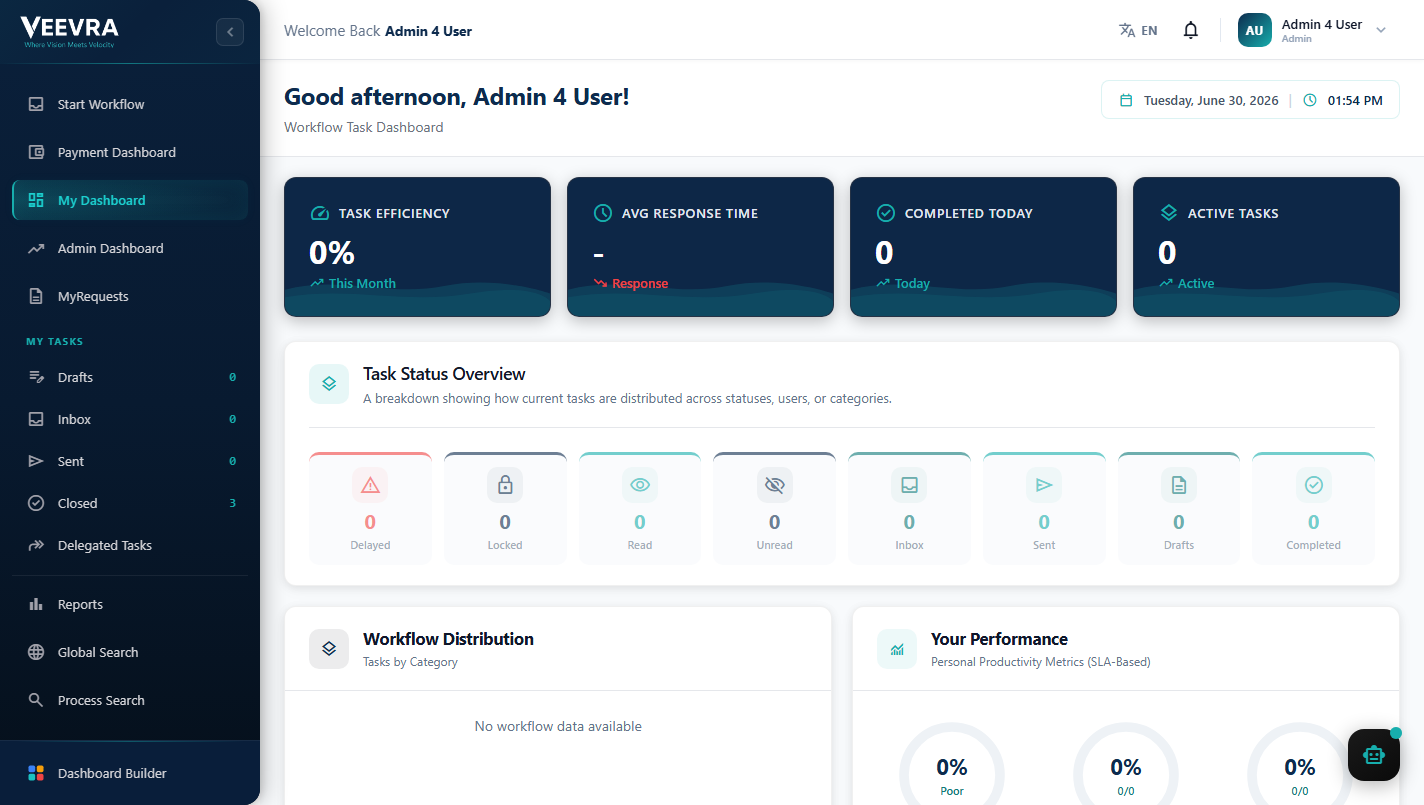
My Tasks navigation with Drafts, Inbox, Sent, Closed and Delegated views, a task status overview and personal performance panels. Cases carry their policy and history, with SLA tracking and delegation built in.
- My Tasks
- SLA Tracker
- Delegation
- Dashboard Builder
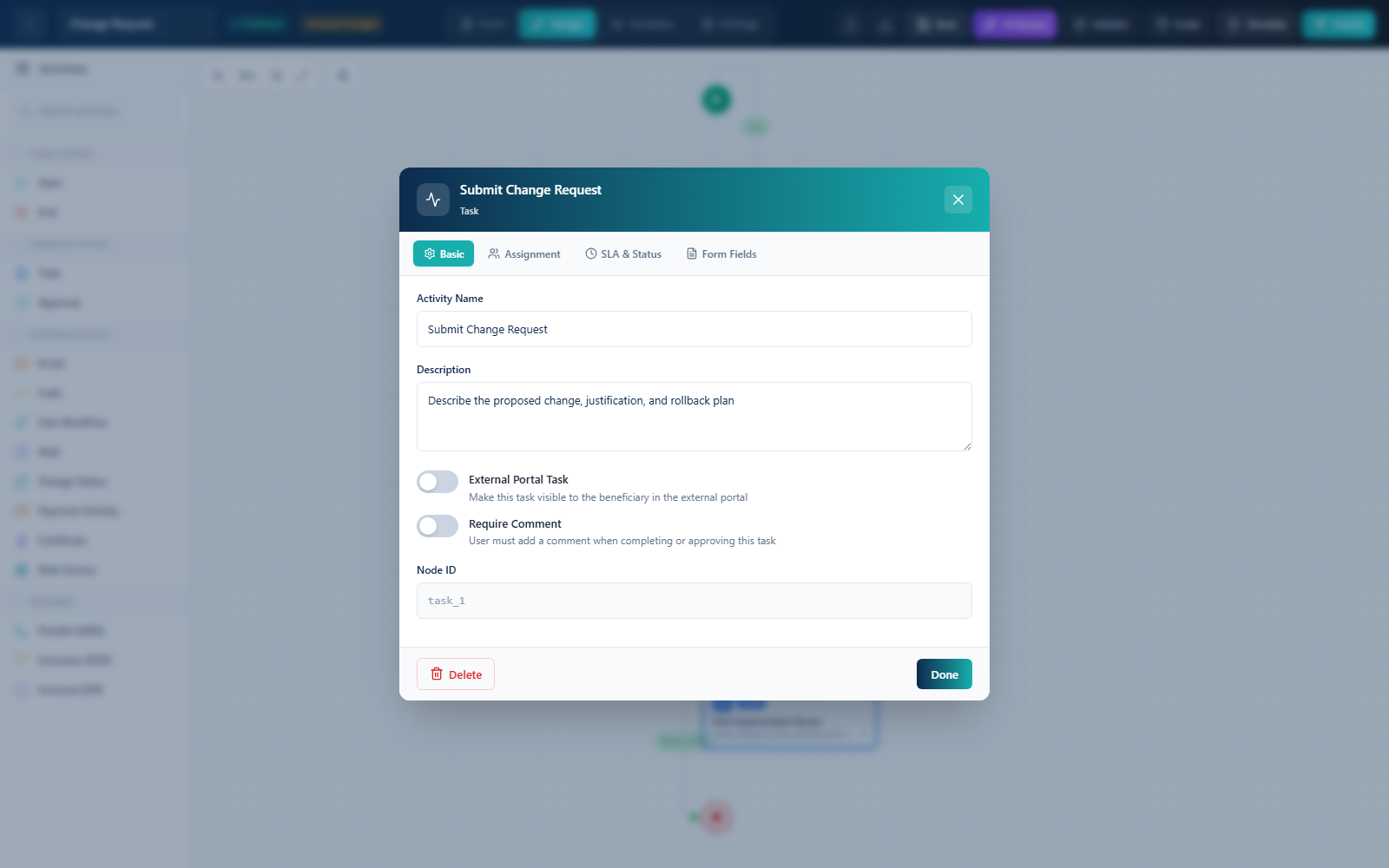
Configure each step in depth
Each node opens a real properties panel: activity name, assignment, SLA & status and dynamic form fields. Set who does the work, the deadline and the data captured, without code.
- Assignment
- SLA & status
- Form fields
- Portal tasks
Watch processes run, then improve them
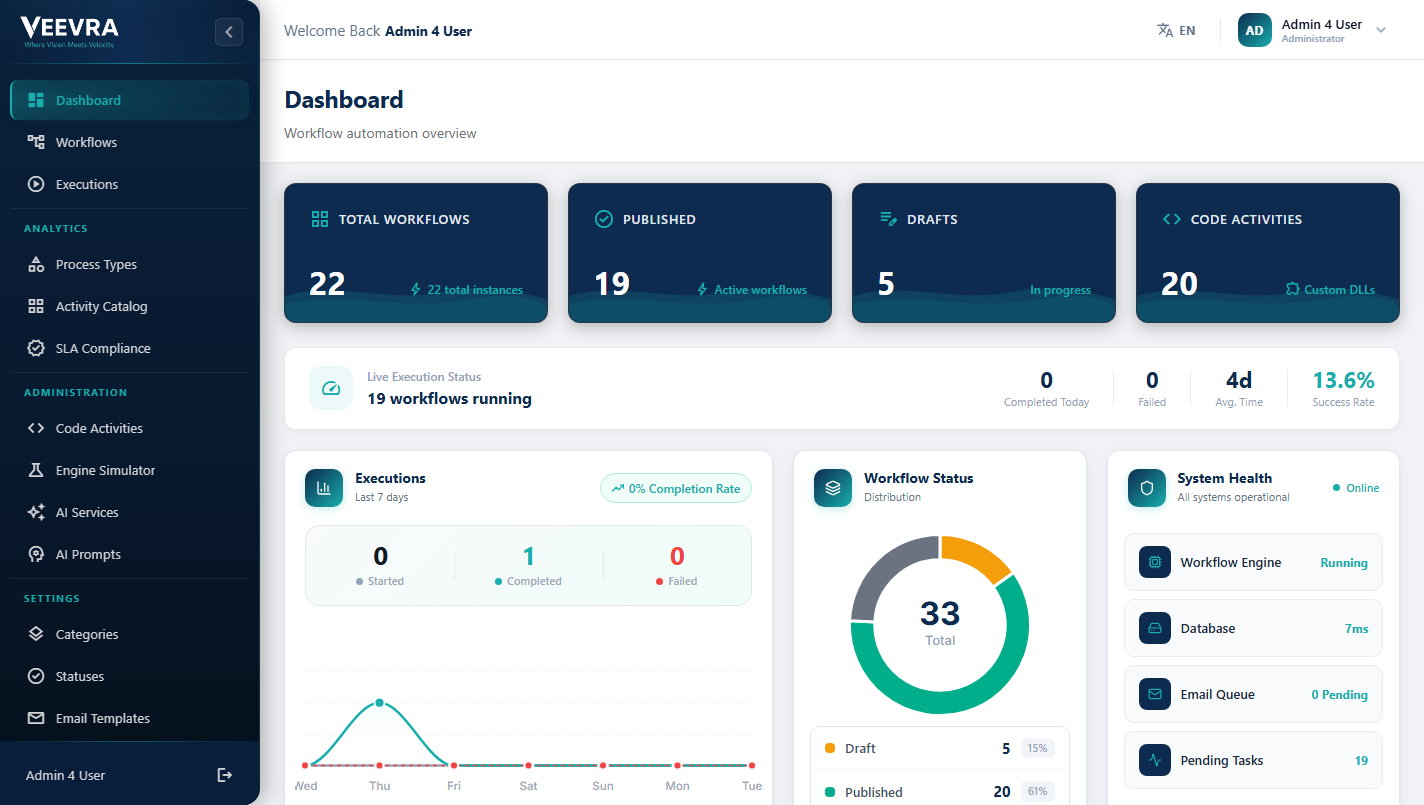
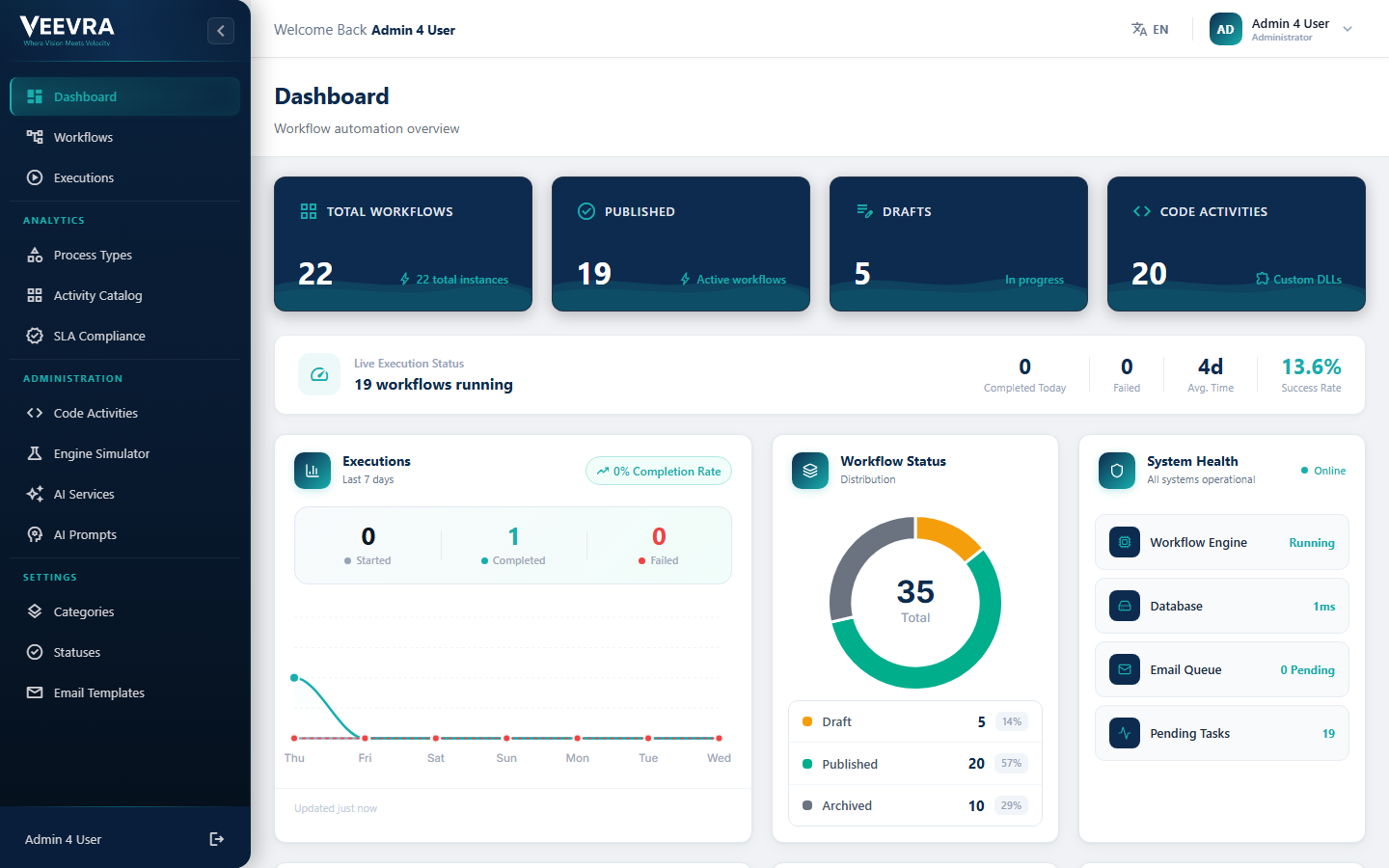
Workflow totals, live execution status, a 7-day executions chart and system health, with analytics beyond the dashboard to help teams find and fix slow steps.
- Executions Monitor
- Engine Simulator
- System Health
Your workflows,
at a glance
Total, published and draft workflows, live execution status, a workflow-status breakdown and system health, so operations see the whole automation estate in one view.
- Live executions
- Status breakdown
- Success rate
- System health
Capabilities
Process automation, end to end.
From visual design to real-time execution: the tools to automate, monitor and optimize business processes.
Visual Workflow Designer
Drag-and-drop canvas with 11 activity types, parallel/exclusive gateways and sub-workflow support. Design complex processes without writing code.
Dynamic Form Builder
Adaptive forms with conditional logic, validation rules and calculated fields. Forms that respond to context, not just collect data.
Case Lifecycle & SLA
End-to-end case tracking from initiation to resolution. Define and enforce SLAs per activity with automated escalation when deadlines approach.
Code Activities
Execute custom Python and sandboxed code activities within workflows for advanced integrations. Bridge no-code simplicity with full-code power when you need it.
Process Analytics
Real-time dashboards with KPIs, bottleneck identification and performance metrics. See where your processes slow down, then fix them.
Payment Integration
Built-in payment gateway for service fees and revenue tracking. Collect payments as part of the process, not as an afterthought.
Real workflows in the platform today: Change Request, Complaint Handling, Contract Review, CAPA, Document Approval, Employee Onboarding, Expense Reimbursement.
Intelligent automation
AI support at each stage.
From automatic document classification to predictive analytics that flag delays before they slow a process down.
AI-Assisted Generation
Describe the process in plain language and AICP drafts the workflow, activities and routing for you to refine and publish.
AI Prompt Activities
Drop governed AI steps directly into any workflow: classify, extract, summarize or decide, every call routed through AICP.
Predictive SLA
AICP predicts SLA breaches from execution patterns and recommends the next improvement before deadlines slip.
Smart Routing
Assign each task to the best-qualified team member based on workload, skills and availability.
Architecture
How it fits the platform.
Flow is a capability of the V-Flow family. It works independently and can be purchased individually or as part of the complete V-Flow family.
What it is
A BPMN workflow engine, visual designer and dynamic forms on one governed runtime.
Works with V-Core
V-Core provides Identity and Insight capabilities and may be purchased alongside this family when required.
Optional AI enhancement
This capability works without AI. Customer-controlled deployments may be enhanced through separately deployed AICP. Veevra-hosted SaaS may be enhanced through a separate AICP Enterprise subscription.
Deploy your way
Deploy on-premises, air-gapped, in your public or private cloud, as Veevra-hosted SaaS, or through a hybrid model.
Where it's used
Automation, across sectors.
See it on your systems
Get a tailored walkthrough
Leave your details and our team will show you Veevra working in your environment, with no commitment.