

AI-Empowered Workspaces · V-Workspaces
AI-empowered applications
and workspaces.
V-Workspaces is Veevra's category of governed, AI-empowered applications and digital experiences, built on Veevra's AI platforms.
On either foundation
AICP Sovereign or AICP Enterprise.
On AICP Enterprise (SaaS)
Veevra-operated and delivered as software-as-a-service. Explore AICP Enterprise →
On AICP Sovereign (customer-controlled)
Deployed and controlled by you: on-premises, air-gapped, or in your public or private cloud. Explore AICP Sovereign →
The flagship V-Workspace
Meet Vee, your private AI workspace.
Vee brings your conversations, documents, meetings, tasks and knowledge into one governed AI workspace, grounded in your own sources and under your control. For individuals and enterprises.
- Your whole world, connected. Email, calendar, files and notes in one place.
- It grows with you. A Digital Twin that learns your world, from V0 to Vee.
- Private and governed. Grounded in your sources, and under your control.
- Live today. Self-service at vee.veevra.com, for individuals and enterprises.
What you're seeing
Evidence, not mockups.
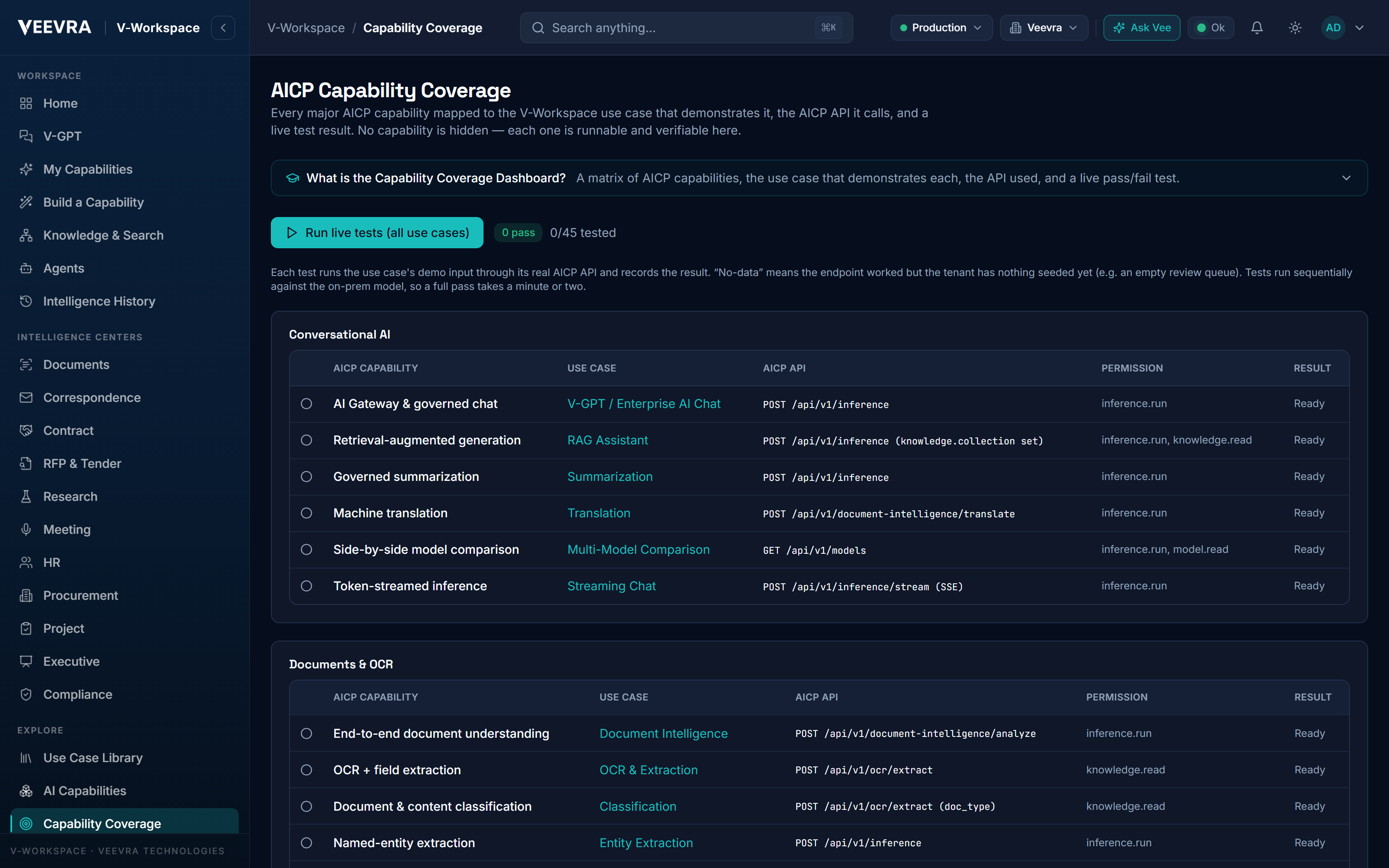
Every screen on this page is a real capture from a working AI-empowered workspace. Each capability calls AICP, Veevra's AI Control Platform, so every result arrives with its model, policy and audit trail attached.
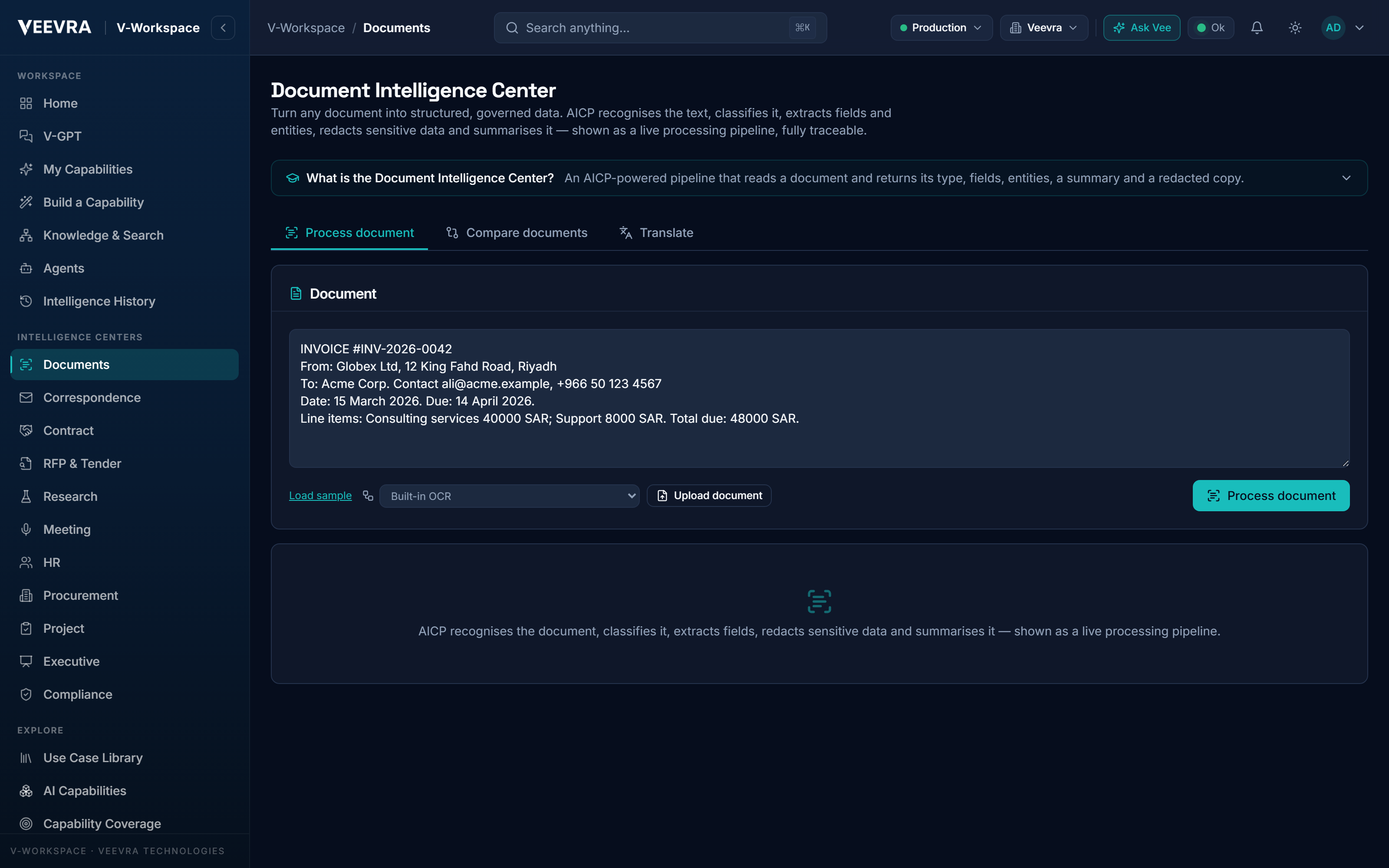
From documents to structured, redacted intelligence
Upload a scan or PDF and get recognition, classification, extraction, redaction, summary and entities, then compare, translate or export a searchable PDF. PII masking is applied before text reaches the model.
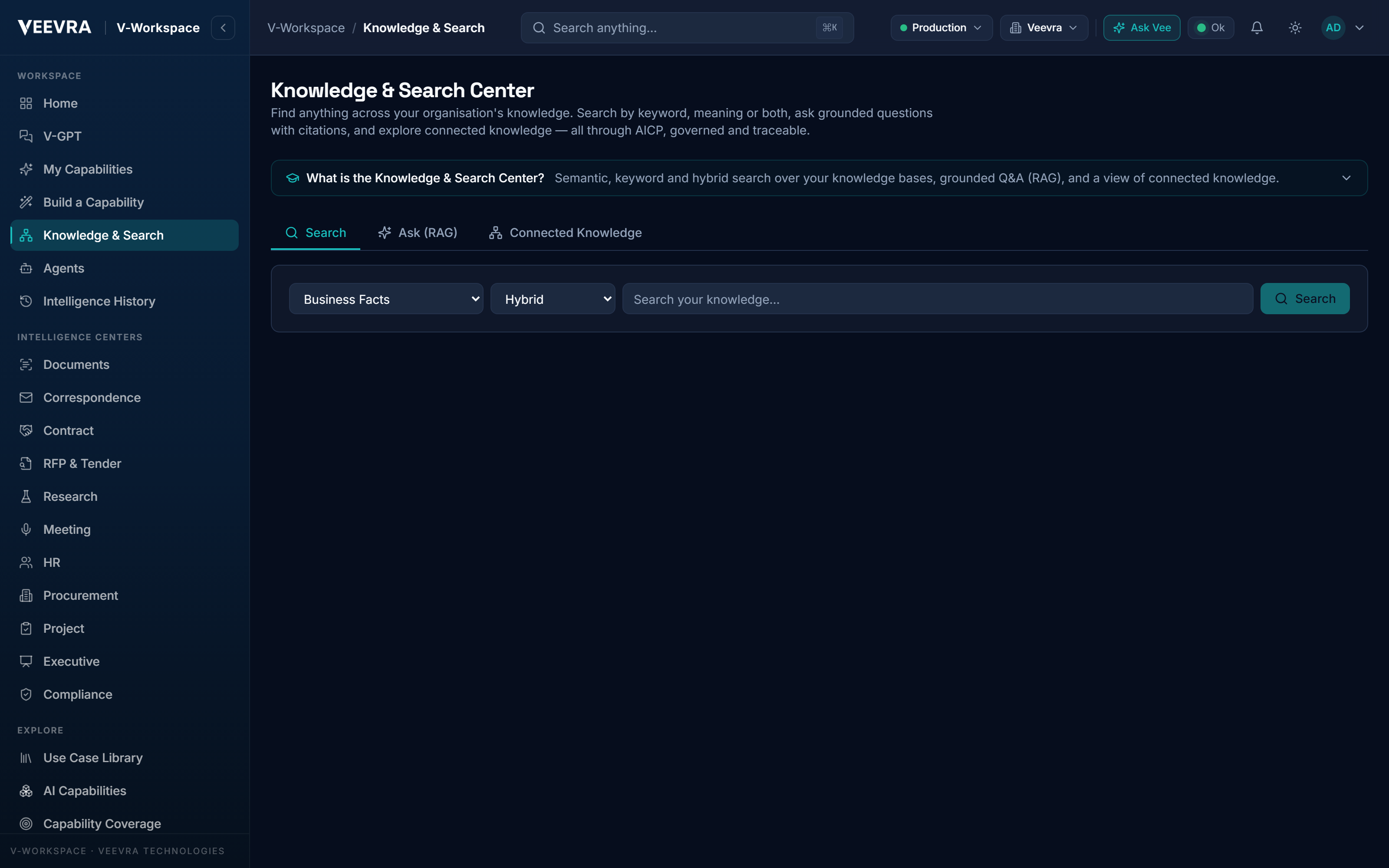
Ask questions across your enterprise knowledge
Keyword, vector and hybrid search across your collections, grounded Q&A with citations, and a connected knowledge graph of entities and facts. Answers your people can trace to their sources.
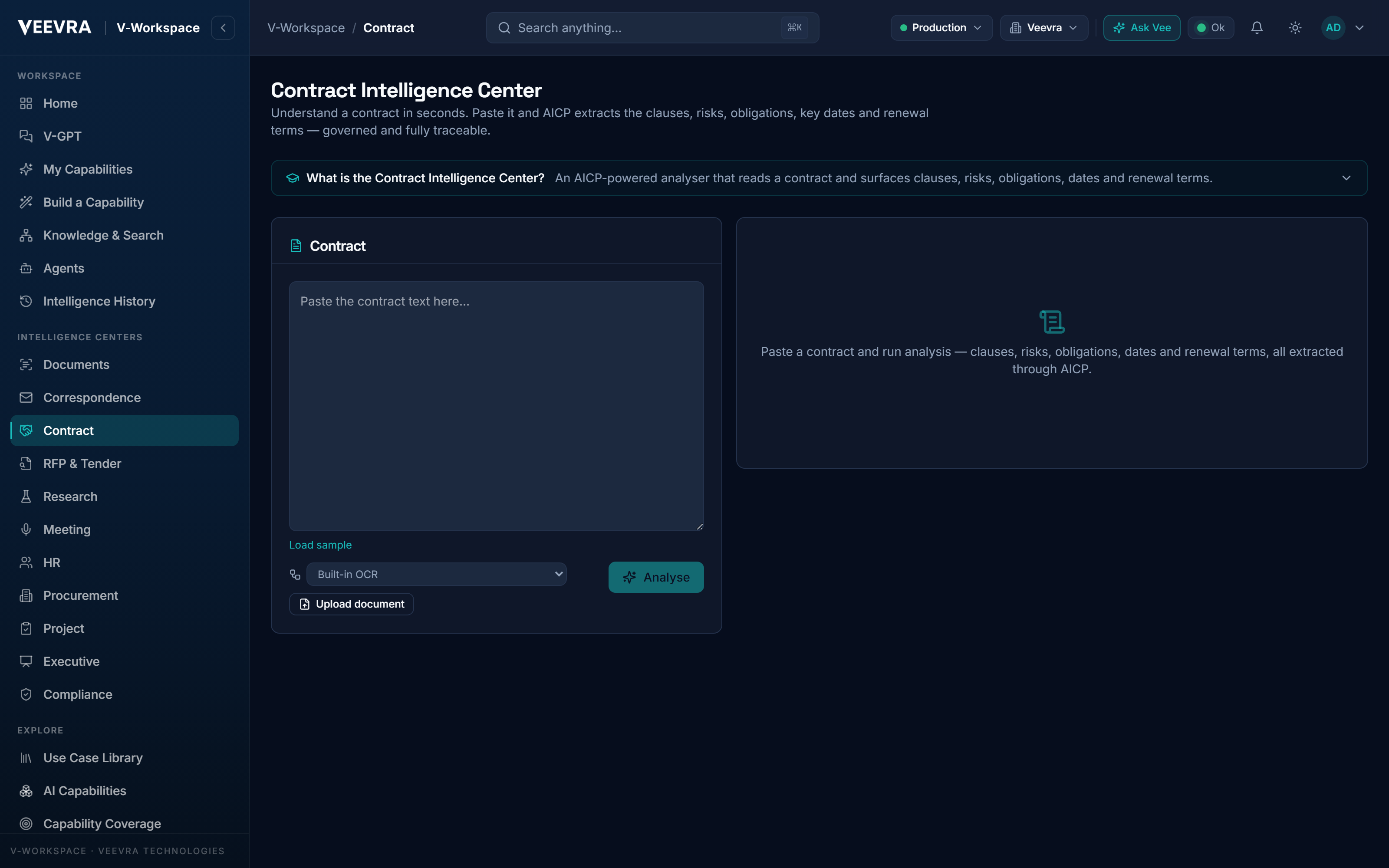
Read contracts and tenders in minutes
Structured analysis of obligations, risks, parties and deadlines for contracts, RFPs and tenders. Each runs through the governed gateway, with the routing decision and trace exposed with each result.
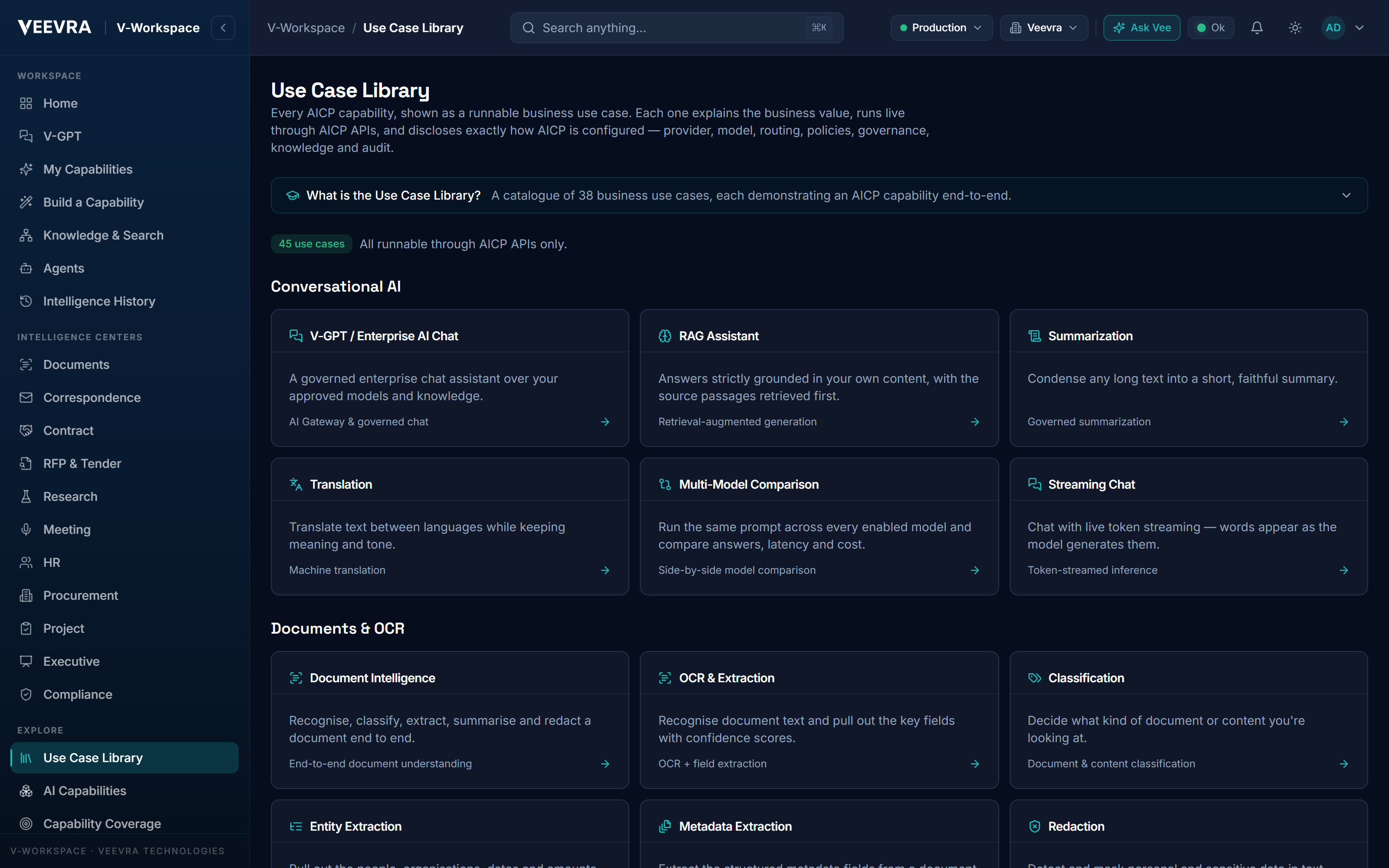
Results explained four ways
Each result opens in Business, Technical, Architecture and Configuration views, with a “why these decisions” breakdown and one-click export of the configuration, architecture or blueprint behind it.
Inside the workspace
A center for every
kind of work.
Each center is a focused, ready-to-run experience for a real business job.
Documents & correspondence
- Document Intelligence
- Correspondence Intelligence
- Contract Intelligence
- RFP & Tender Intelligence
Knowledge & research
- Knowledge & Search
- Research Intelligence
- Meeting Intelligence
- V-GPT Assistant
Decisions & compliance
- Executive Intelligence
- Compliance Intelligence
- Project Intelligence
- Procurement Intelligence
People & automation
- HR Intelligence
- Agent Marketplace
- Workflow Marketplace
- Showcase & Learning
See it on your systems
Get a tailored walkthrough
Leave your details and our team will show you Veevra working in your environment, with no commitment.