
V-Manage · Tasks
Task & Follow-Up
Management
Watch a task run its course: it arrives, AI prioritizes and assigns it, a deadline and reminders keep it moving, it completes, and the dashboard updates live. Nothing slips.
A demonstration of the board: a task arrives, AICP prioritizes and assigns it, then it moves to done while the dashboard updates.
See the real product
The Tasks
workspace.
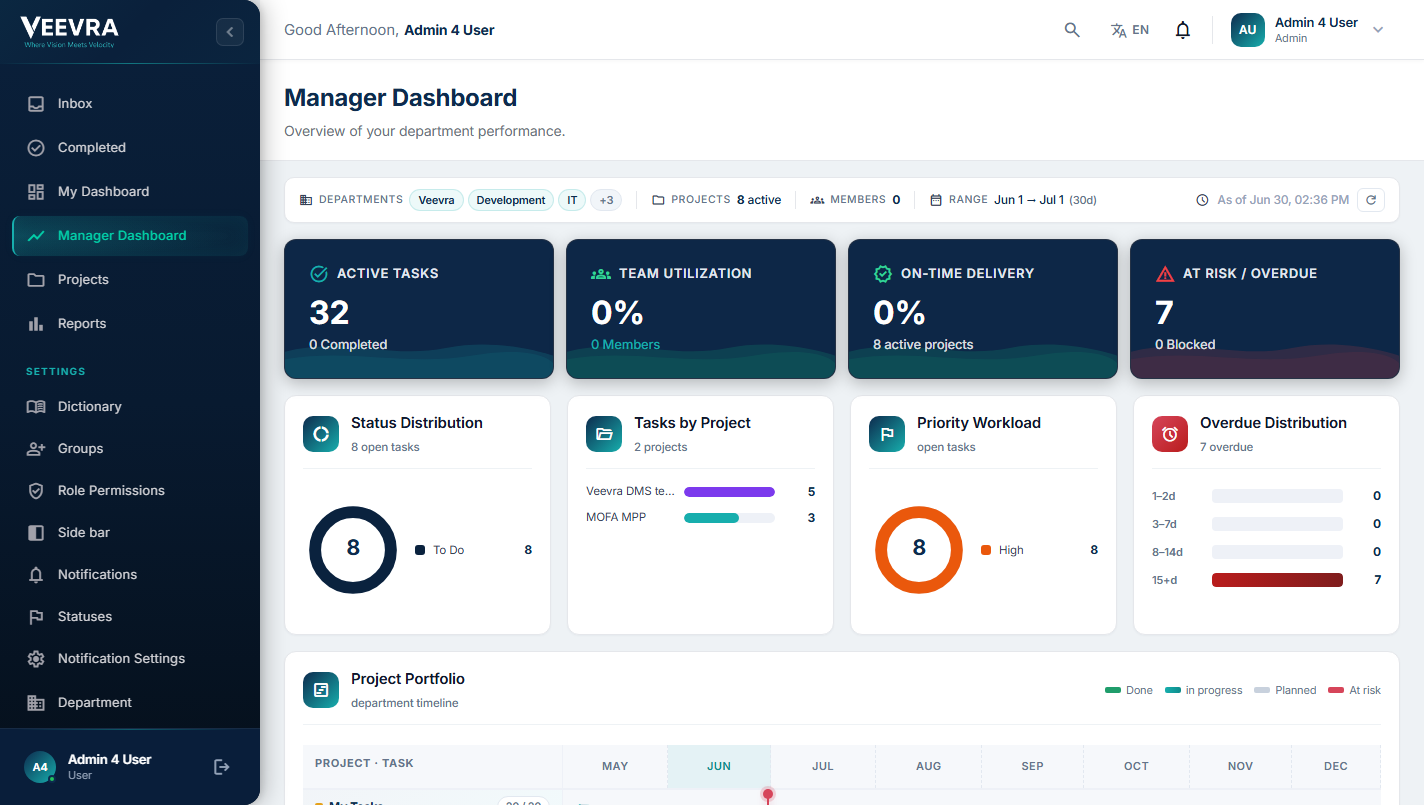
The manager dashboard your teams use to track work, workload and project health. Captured 2026-08. Click to inspect it full-size.
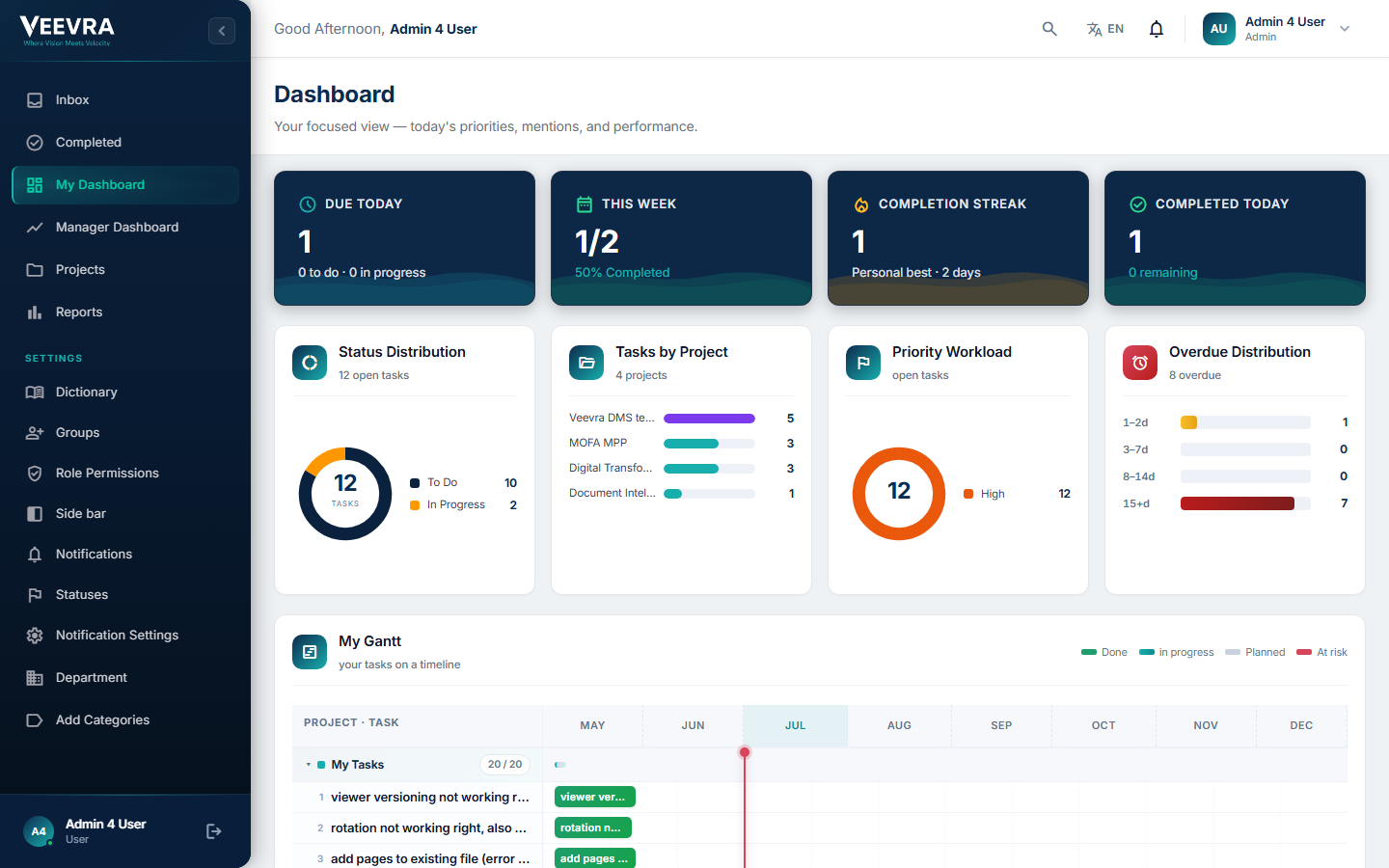 Status distribution
Priority workload
Gantt timeline
Status distribution
Priority workload
Gantt timeline
How Tasks works
From assignment
to accountable delivery.
Create work, assign it with priority and a due date, track progress, and let managers see portfolio health while AICP flags what is at risk.
- CreateFrom a meeting, a doc, a project or scratch.
- AssignOwner, department and project.
- PrioritizePriority, tags and SLA due date.
- TrackProgress, status and inbox in real time.
- AIManager viewAICP surfaces overdue and at-risk work.
- CompleteClose, with a full activity history.
- ReportPortfolio and team-level reporting.
Inside Tasks
Tasks, owners
and due dates in view.
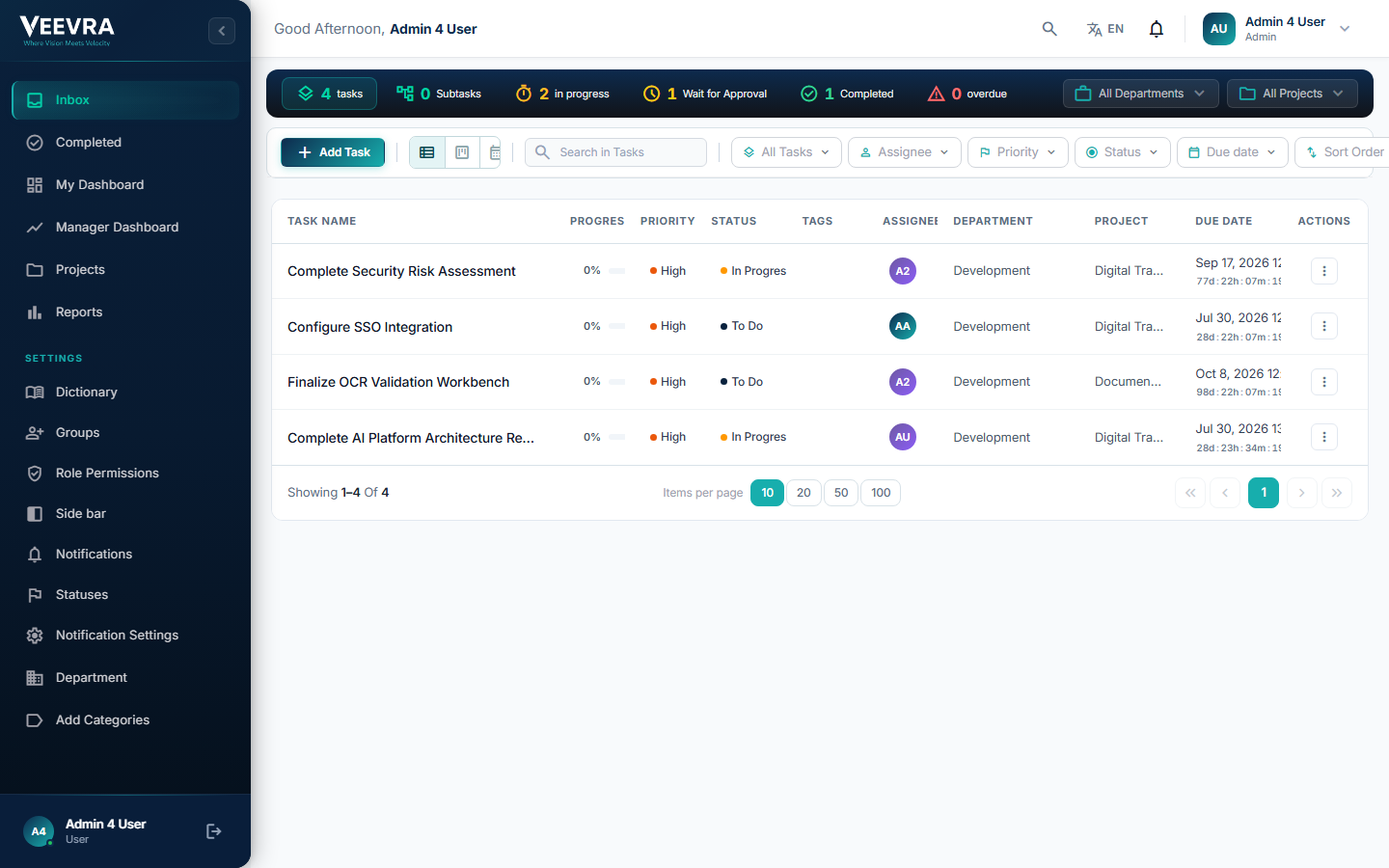
One list, all dimensions
Each task shows progress, priority, status, tags, assignees, department, project and due date. Filter, group and act on work across the whole organization.
- Progress & priority
- Assignees
- Department & project
- Due dates
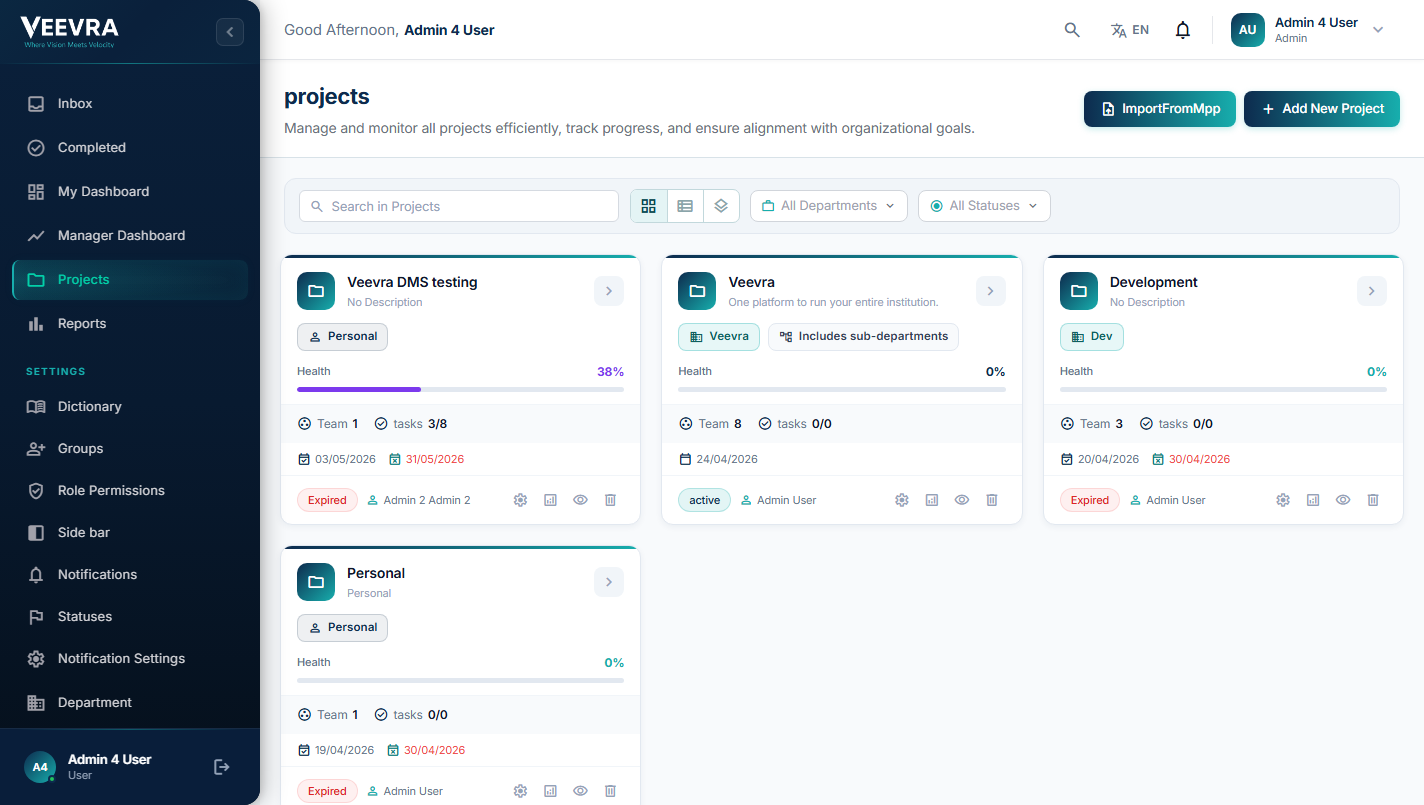
Work organized into projects
Group tasks into projects across teams, with a portfolio timeline and project-health view so leaders can see what is on track and what needs attention.
- Project portfolio
- Project health
- Team workload
Portfolio reporting,
exportable
Filter and analyze task activity across teams and projects, with completion, on-time, blocked and overdue metrics, and one-click export to Excel or PDF.
- On-time & overdue
- By project & team
- Export
- Live filters
Capabilities
Work that gets followed through.
Assign, prioritize and track tasks across teams and departments, against the SLAs you set.
Assignment & Delegation
Assign tasks to people or teams, delegate with full context and reassign as priorities shift.
Prioritization
Priority levels, due dates and dependencies so the right work happens first.
SLA Enforcement
Deadlines with automated reminders and escalation when tasks run late.
Cross-Department Tracking
Follow work as it moves between departments. One view, no silos.
Sub-Tasks & Checklists
Break work into steps with checklists and progress tracking.
Notifications & Reminders
Timely nudges by email and in-app so nothing slips.
Smart task management
AI keeps work on track.
Smarter assignment, earlier warnings and daily clarity on what needs attention.
Smart Assignment
Suggest the best owner from workload and skills.
Priority Prediction
Surface tasks likely to slip before they do.
Workload Balancing
Spot overloaded teams and rebalance.
Summary Digests
Daily AI summaries of what needs attention.
Why Veevra Tasks
Assign tasks and track deadlines.
Total Visibility
Tasks, owners and deadlines in one place.
SLA Discipline
Automated escalation keeps commitments on track.
Works Everywhere
Tasks span departments and the whole V-Manage suite.
Audit Trail
Who did what, and when, recorded automatically.
Architecture
How it fits the platform.
Tasks is a capability of the V-Manage family. It works independently and can be purchased individually or as part of the complete V-Manage family.
What it is
Task assignment, prioritization, SLA tracking and portfolio reporting on one governed layer.
Works with V-Core
V-Core provides Identity and Insight capabilities and may be purchased alongside this family when required.
Optional AI enhancement
This capability works without AI. Customer-controlled deployments may be enhanced through separately deployed AICP. Veevra-hosted SaaS may be enhanced through a separate AICP Enterprise subscription.
Deploy your way
Deploy on-premises, air-gapped, in your public or private cloud, as Veevra-hosted SaaS, or through a hybrid model.
Where it's used
Follow-through, across sectors.
See it on your systems
Get a tailored walkthrough
Leave your details and our team will show you Veevra working in your environment, with no commitment.
Ready to get work
over the line?
See how Veevra Tasks turns scattered to-dos into tracked, accountable follow-through.